The Non-Coder's
Prompt Book
The exact prompt behind every build I post. Tap Copy, change the highlighted words, paste into Claude, ChatGPT or Gemini. No code.
Came from a comment? The green tag is the keyword you typed.
10 prompts that save me 2 hours a day
Change the highlighted words, paste into Claude, ChatGPT or Gemini. That's it.
01Clear my inbox
Here are my unread emails: paste. Sort them into Reply today / Delegate / Ignore. For every 'Reply today', draft a 3-line reply in my tone: friendly, direct, no fluff.
02Meeting → to-do list
Here are my rough meeting notes: paste. Give me 1) the decisions we made, 2) who does what, by when, and 3) a short WhatsApp message I can send the group to confirm it.
03The awkward message
I have to tell client that the delivery is 4 days late. Write it 3 ways: warm, firm, very short. No excuses. Give a new date and one small goodwill gesture.
04Plan my week
Here's everything on my plate: brain-dump. Plan my week with max 3 big tasks a day and the hard work in the mornings. Tell me what to drop, what to delegate, and what I'm avoiding.
05A quote in 5 minutes
Turn these rough notes into a one-page proposal for client: their problem, what I'll do, timeline, price, next step. Plain English. End with one clear question that gets a yes.
06Bills → spreadsheet
Attach photos or PDFs of your bills. Make a table: date, vendor, item, amount, tax, total. Flag duplicates and anything that looks wrong. Give it to me as a CSV I can paste into Excel.
07Read the fine print
Here's a contract / policy / notice: paste. Explain it like I'm 12. Then list the 3 things I should actually worry about, and the question to ask before I sign.
08Decide faster
I'm stuck between option A and option B. Ask me 5 questions, one at a time, before you answer. Then give me a recommendation, the biggest risk, and what would change your mind.
091 voice note → 3 posts
Here's the transcript of a rambly voice note: paste. Turn it into an Instagram caption, a LinkedIn post and 3 hooks for a reel. Keep my words; cut the waffle.
10Your reply bank
These are the 10 questions customers ask me most: list. Write a short, friendly WhatsApp reply for each, under 40 words, that I can save as a quick reply.
My AI coach calls me every morning
A real phone-style call from an AI coach that reads my Fitbit. Built in one evening, zero code. Every step, with the real screenshots.
The prompt to give Claude
Build me a "morning coach" that calls me like a phone call. Use Vapi for the voice and Claude as the brain. Every morning it should read my sleep, resting heart rate and HRV from my Fitbit (Google Health), tell me in under 40 seconds how I recovered and what workout to do today, then ask how I'm feeling and offer a lighter option if I'm tired. Make a phone-style screen with an incoming-call ring and an Accept button so it feels like a real call. Keep my keys out of the chat — tell me where to paste them myself.
The coach's instructions (paste into Vapi → System prompt)
You are [your name]'s personal morning coach, calling them on the phone. You are warm, upbeat, brief and
specific — like a good human coach, never robotic.
Today's data (from their watch and training plan):
{{brief}}
How to run the call:
- You already greeted them in your first line. Then, in at most 3 short sentences, give them: how they
  slept / recovered, today's workout with the key detail, and one motivating line.
- Then ask one question: how they're feeling, or if they want to change the plan.
- If they answer, respond in 1-2 sentences. If they're tired or short on time, offer the lighter
  alternative: {{alt}}.
- Use their name occasionally. Never read numbers with decimals; round them.
- The whole call should be under 60 seconds. When they say bye/thanks/done, say a short warm goodbye
  and end the call.
Gotcha first
Twilio's free trial no longer gives you a phone number (it needs a paid upgrade and a compliance profile). So we used Vapi's free web call instead — same AI voice, no phone number, $0.
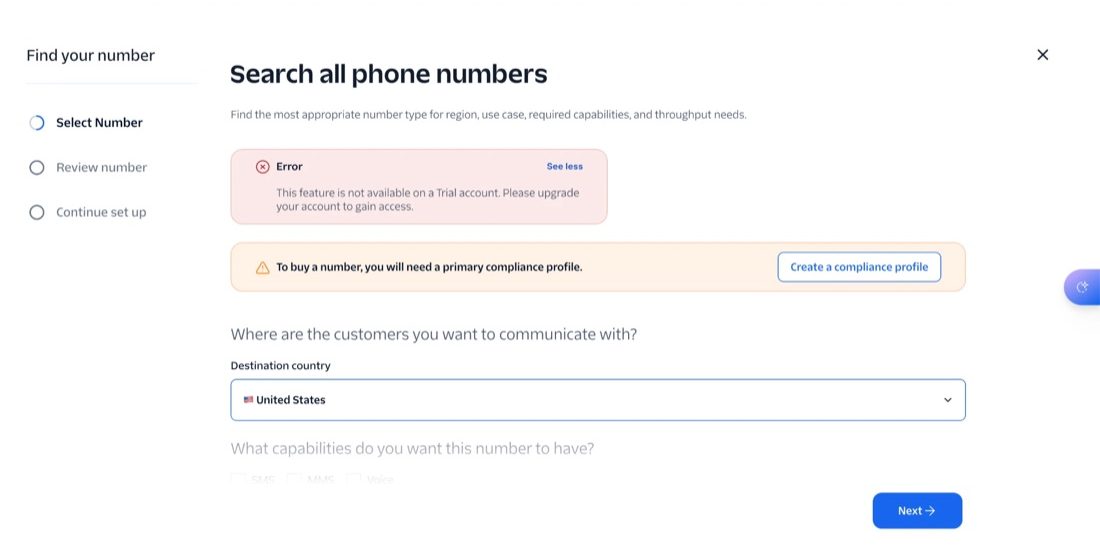
Twilio trial: numbers are blocked Sign up at dashboard.vapi.ai
Sign in with Google. You get free credit (about $5 ≈ 60 minutes of calls).
Save your two keys on your own computer
Copy the Vapi Private and Public keys and paste them in yourself. Never paste keys into a chat.

Keys saved on the Mac (hidden) Claude creates the coach
Deepgram for the ears, Claude Haiku 5.5 for the brain, the Vapi voice “Rohan”. About $0.08 a minute, replies in ~1.6 s.
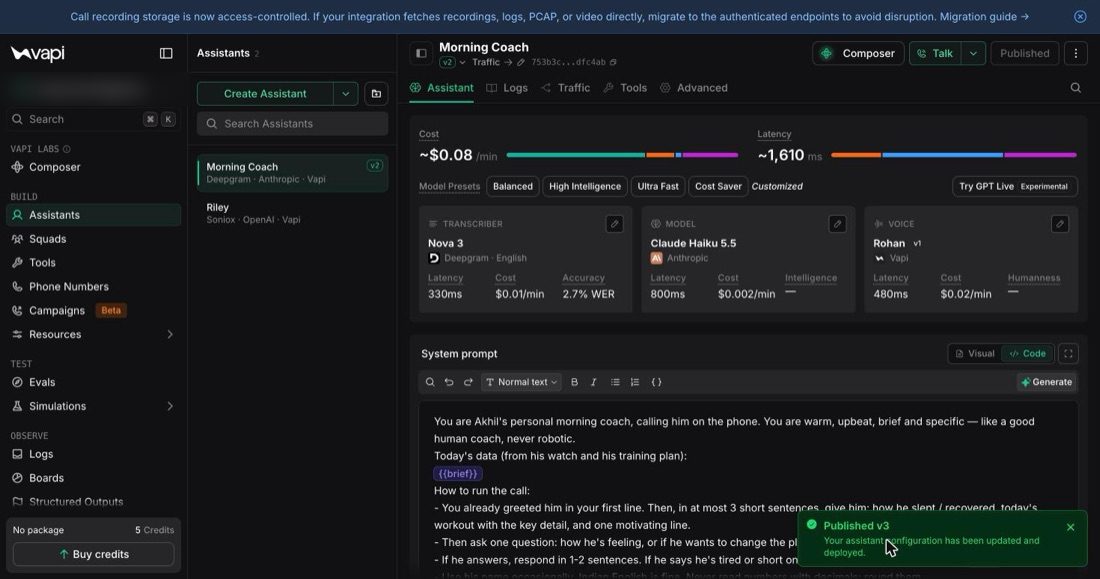
The Morning Coach assistant in Vapi Give it its instructions
The system prompt below, plus the first line:
Good morning! It's your coach. {{opener}}. The{{brief}}slots are filled with fresh watch data every morning.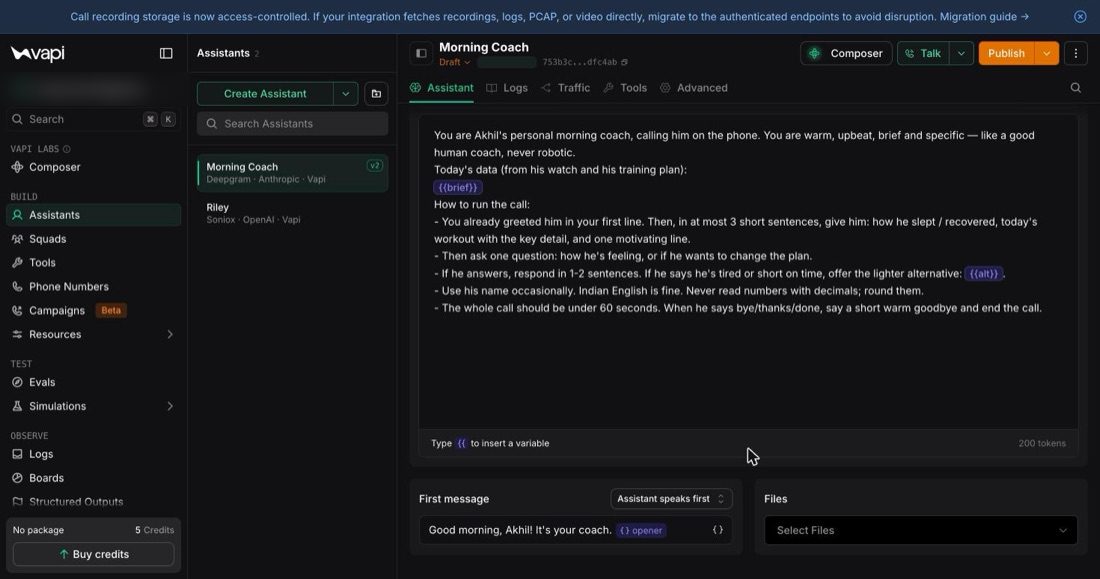
System prompt + first message Connect your watch
One Google sign-in for Google Health (my Fitbit Air). Claude pulls sleep, heart rate, HRV and steps.
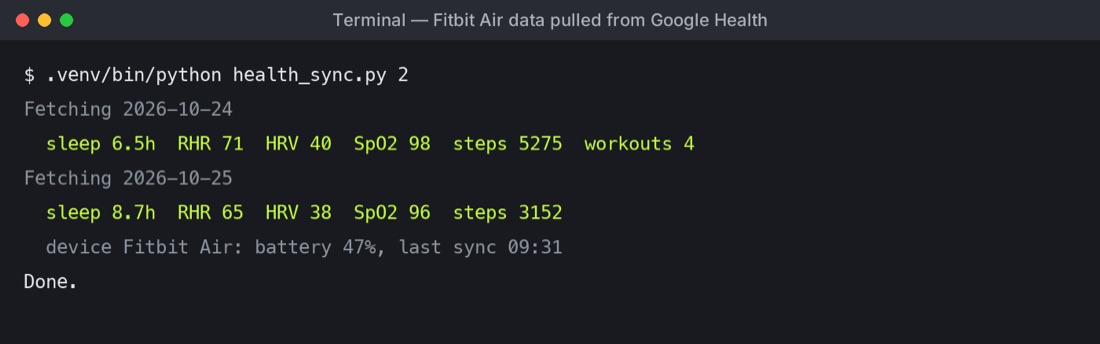
Fitbit data pulled from Google Health Open the coach page on your phone
Tap once — it rings 4 seconds later, so you can put the phone down and film it.
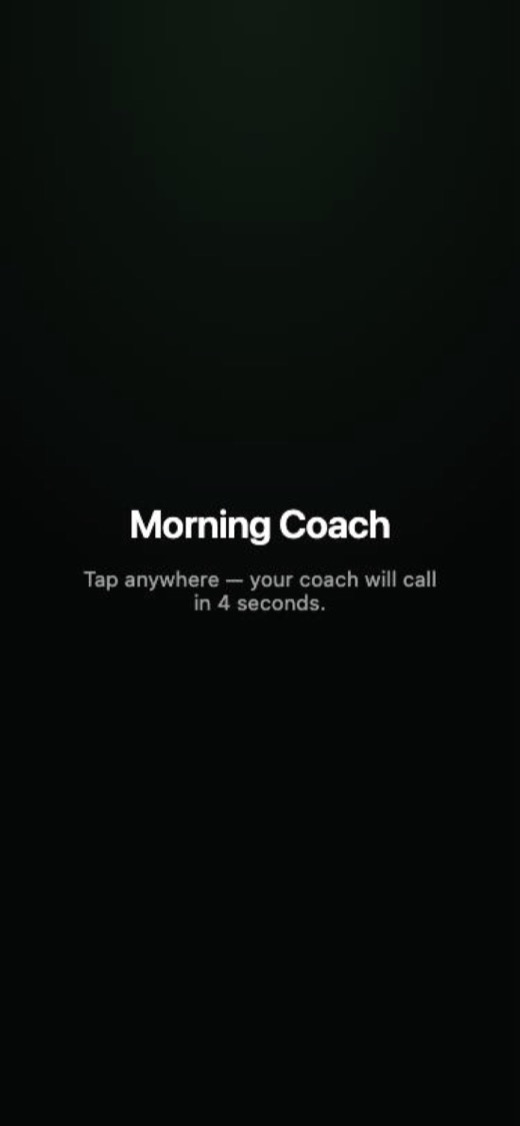
Tap to arm 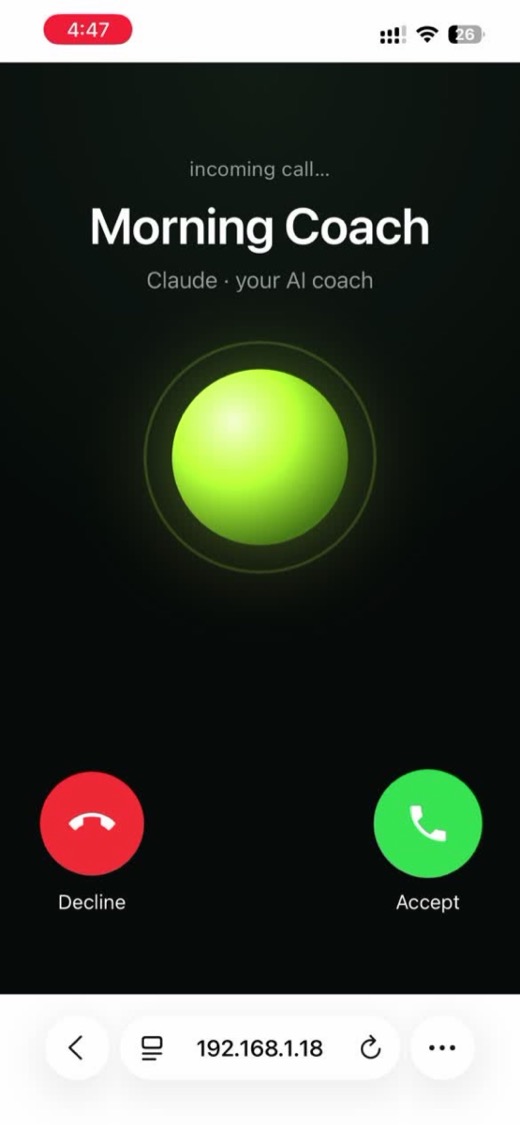
Incoming call Accept — and talk back
Your coach tells you how you slept and what to train. Say you're tired and it changes the plan.
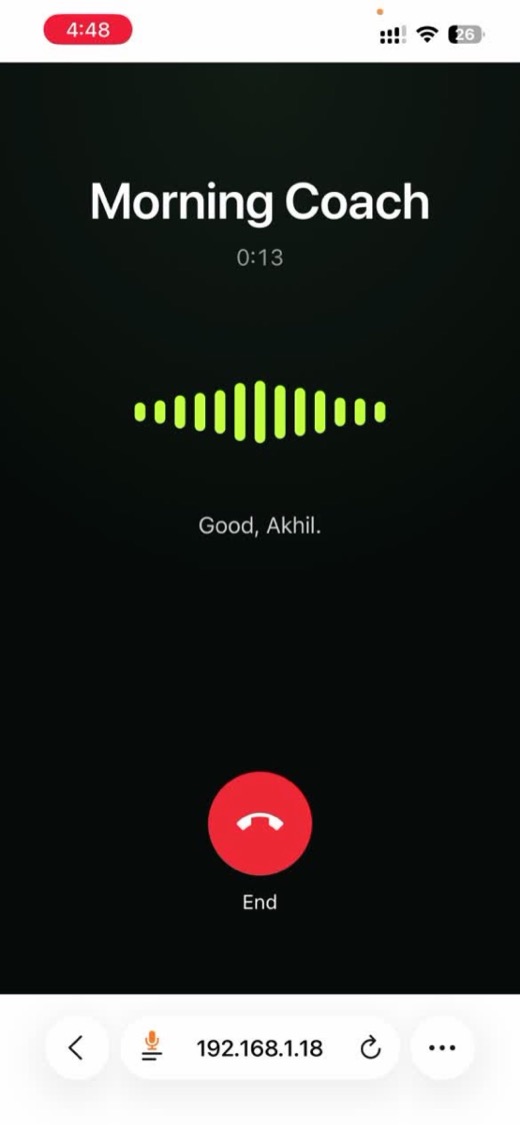
The live call
Gotchas we hit, so you don't
- Vapi keeps drafts: if you edit in the dashboard, press Publish or the old version keeps answering.
- The phone microphone only works over https.
- Vapi warns when a model is being retired — switch to a current one (we use Claude Haiku 5.5).
- My Fitbit sync had silently stopped for two weeks. Check your data is fresh before you film.
Cost: $0 to build. About ₹7 a call after the free credit.
Munshi: a 9 AM brief on WhatsApp
My own version of Claude Duet. Every morning, each person on the team gets only what's stuck on their desk.
1 · The prompt to give Claude
Build me a "morning brief" assistant. Every day at 9 AM it reads my Google Sheet of open tasks and sends each person on my team a WhatsApp message with only their own pending items — oldest first, with how many days each has been pending. Nobody sees anyone else's list. Skip people who have nothing pending. Tell me step by step which accounts I need, and where to paste my keys myself.
2 · If you don't have a task list yet
Make me a simple Google Sheet template for this: columns Task, Owner, Owner's WhatsApp number, Date opened, Status (Open / Done). Add 5 example rows so I can see how to fill it.
What you need
- A list of open tasks with an owner for each (a Google Sheet is enough).
- A WhatsApp sender: Meta's WhatsApp Cloud API (free tier) or an Indian provider such as Interakt or AiSensy.
- WhatsApp needs a pre-approved message template for business messages. Claude will write it for you; approval usually takes a few hours.
7 things I made with AI
The prompt behind each one.
01My reels — the script
I'm recording a 40-second reel about topic for who it's for. Write the script: a 3-second hook, 3 short points, one call to action. Then list the on-screen text and the B-roll for each line.
02A health coach that talks
03A website in one evening
Build me a one-page website for me / my business. It's for who visits. I want visitors to join / call / buy. Dark, bold, works perfectly on a phone. Then tell me step by step how to put it live on my own domain for free with Cloudflare Pages.
04A studio shoot from one selfie
Use my selfie as the reference. Same face, same glasses, same expression. Put me in a professional creator studio: soft key light from the left, warm background lights, shallow depth of field, 85mm lens. Photorealistic.
05A 9 AM brief on WhatsApp
06Me as a Bollywood villain
Use my photos as the main character. A 90s Bollywood villain dance number: me in a black leather jacket and sunglasses, centre of a smoky warehouse set, backup dancers behind me, dramatic lighting, cinematic camera moves.
07Product photos without a photographer
Use this product photo as the reference. Keep the product exactly the same — shape, label, colours. Place it hanging on a wooden peg against a soft linen wall, morning window light, soft shadow, ad-ready, 4:5.
The AI version of me
How I made a reel where everything except my voice is AI.
1 · The script
I'm making my first reel: what you want to say in one line. Write a 40-second script I can say to my laptop camera. Start with a confession hook in the first 3 seconds, then 3 short points, then "follow along". Plain spoken English, short sentences.
2 · The AI restyle of your video
Keep my exact lip movements, head movement and timing. Restyle me into a polished studio look: black t-shirt, soft key light, clean modern background. Don't change my face shape, my glasses or my expression.
How it came together
- Record yourself on the laptop camera, 3 takes. Keep the best one.
- Restyle the video with the prompt above. The voice stays yours.
- Claude cuts it, adds the captions and the big words, and syncs every caption to your speech.
- Always say it's AI — on screen and in the first line. People trust you more, not less.
Get new prompts first
Every new chapter lands in the free Non-Coder Builders WhatsApp community before it goes here. Ask when you're stuck.
Join on WhatsApp →Rather I build it for you?
A website for your business, live in 48 hours, for ₹3,000.
See the website offer →